Welcome back! Feel free to suggest topics for me to write about using the Suggestions? tab to the right or use Formspring to ask me random stuff. Check Doug's FAQ first!
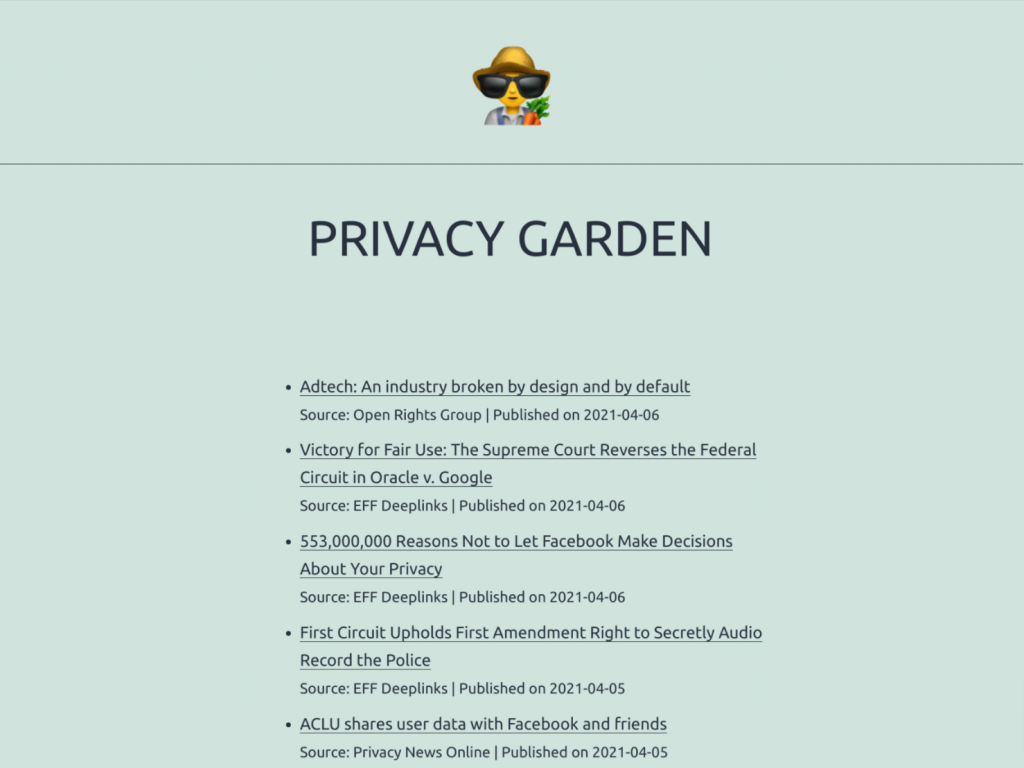
When they launched Education Eye I didn’t really get it. Now I do. RSS feeds pulled in from blogs and news outlets (including, yes, this one) and presented in a very visual fashion. I love the way that the dots are colour-coded according to ‘inspiration’, ‘Policy’, ‘Practice’ and so-on, with certain posts starred as Futurelab staff favourites. Awesome.
I mentioned on Twitter to Dan that this would make an amazing screensaver (like the Digg ones). Turns out they’re already working on it! And not only that, but they’re working on an Event Eye, ’an indexed, searchable, content aggregator that pulls together the best content from the web about a particular conference or event.’ Double awesome.
Logging in gives you extra features. Check it out and share it with someone today!
PS Dan had a bit of a disaster with his Twitter account! Help him rebuild his network by following him: @dansutch
A couple of people in the last month have asked if I’d share which blogs I read regularly. It’s a logical follow-up, I suppose, to my Things I Learned This Week posts. If I used an RSS reader this would be very easy: I’d just export my subscriptions as an OPML file. Readers could then download this and import it into their RSS reader.
But, er… I don’t any more. I made a conscious and deliberate switch to subscribing to blogs by email – either through author-provided functionality or RSS >> Email courtesy of Reblinks. Which makes things slightly more difficult (and this post necessary).
A non-design blog I subscribe to, Alan Levine’s excellent CogDogBlog, featured a post yesterday that discussed the importance of both online and offline filtering. That’s because, as Clay Shirky is always at pains to point out, it’s not information overload, it’s filter failure. Whilst serendipity and specific niche interest are both important things that shouldn’t be neglected, it’s also important to identify people who are awesome filters of information, links and connections.
The Blogs
The following blogs are design-related but also have a community element; they serve as a hub for a wider bunch of people. As such, you’ll find added value in trawling the comments section as much as the posts themselves.
FlowingData – I really enjoy Nathan Yau’s blog and find his simple and straightforward guides extremely useful as a beginner!
Smashing Magazine – Design in the widest sense. They often have wonderful posts showcasing the best and brighest stuff on the intertubes in a given area. They also have (downloadable) monthly wallpaper contests – such as this one for April 2010.
swissmiss – Tina Roth Eisenberg is a prolific blogger, to the extent that she only took a few days off from blogging after giving birth and named her baby after consulting her readers! I love the quirky stuff she posts and it always makes me smile.
This is the first of a planned weekly series in which I reflect on what I’ve learned during the previous 7 days. As I explained in My digital reading workflow these links are culled from blogs and tweets I read.
While we’re on the subject of design, swissmiss had a useful blog post on Japanese design principles. There are seven basic principles:
Fukinsei (imbalanced)
Kanso (simple)
Kokou (austere)
Shizen (natural)
Yugen (subtle profound)
Datsuzoko (unworldly)
Seijaku (calm)
I’d like to think that this blog has elements of 2, 5 and 7.
Not that I write much any more, but I was interested to (re-)discover that some people claim to be able to tell whether a person’s handwriting is ‘male’ or ‘female’. To be fair, if they managed to decipher mine they would only be able to tell that it was ‘messy’… In other quirky news (for which BoingBoing is an excellent source), it turns out that “there are more people currently alive in Asia, Africa and Latin America than the total number of people who died—anywhere, and for any reason—during the entire 20th century.” Wow. More at Census of the dead, in infographic form.
It’s been 5 years, apparently, since Google first started blogging. They’ve no got so many blogs that it’s difficult to keep up with them all. If you, like me, are becoming overwhelmed by the unread items in your RSS reader, why not get everything delivered by email? If you’ve got a decent system (see my How I deal with email) it can be a very efficient way of keeping up-to-date. The trouble is, of course, that some blogs don’t have an subscribe-by-email option. That’s where FeedMyInbox is useful. Enter website URL and your email address and, hey presto! If you want a quick-and-easy way of getting all of the links from your Twitter followers, try ReadTwit. It creates an RSS feed of tweets that contain links from people you follow. You can put that through FeedMyInbox too. And if all that sounds like too much effort, why not try LazyFeed? (via @heyjudeonline)
Talking of productivity, Hans de Zwart (who has recently been promoted to the cool-sounding Innovation Manager: Learning Technology) has a great post on The Influence of a Workspace on Performance. In it, Hans cites a book by Alain de Botton, The Architecture of Happiness of which I wasn’t aware. His main thrust is highlighting the discrepancy between the exquisitely designed office space he works in, designed by David Leon, and the stupidity (his word) of being locked down to Windows 2000 and Internet Explorer 6. As Hans quotes David Leon as saying,
Innovation depends on bright people. These people cost more and are far more valuable than the buildings they occupy… but it is a proven fact that the environment in which they work has a major impact on their effectiveness.
For that reason we design workplaces and buildings round the needs of people and the business aims of their organisations.
He contends – and I agree – that should go for digital surroundings as well as physical surroundings. I recently reorganized my study, including building my own desk, to get things just right.
Motivation and productivity can be affected by surroundings, but a great deal of it comes from within. As Chris Guillebeau notes, there will always be people who say that you “can’t” do something. His reply (or rather, that of one of his readers) is:
Reading a lot of books is definitely a worthwhile thing to do, but one that takes dedication and motivation. How To Read a Book a Week in 2010 (via @chrisbrogan) is a useful reminder as to why setting yourself a definite target (e.g. one per week) is more useful than a hazy one (e.g. read more books).
And finally, some quotations I came across that I warmed to immediately. The first comes from a blog post on The Innovative Educator entitled My Top 20 Education Quotes from 2009:
Many of the most brilliant and creative people didn’t really discover what they could do and who they were until they’d left school and recovered from their education.
Minds are like parachutes – they only function when open. Thomas Dewar (via @timekord)
If you can find something everyone agrees on, it’s wrong – Mo Udall (via @russeltarr)
The only one thing I can change is myself, but sometimes that makes all of the difference. (via @Vincent_Ang)
I get quite a bit of email. Even more, now that I’ve pretty much abandoned RSS and subscribed to news sources and blogs via email.* There’s various approaches to dealing with email (e.g.s - Inbox Zero, GTD, etc.) but, for what it’s worth, here’s my ‘system’. I haven’t read or watched videos of the others – they may be similar, they may not. My system (if I can call it that) depends on a GMail-like ‘star’ feature, so may not be useful for everyone:
* Why don’t I use an RSS feed reader much any more? Getting update via email forces me (under the system outlined above) to read new stuff at least once a week. It’s also rather depressing when you see you’ve got literally thousands of unread items in your feed reader…
The above is my first effort at visualizing how I approach reading stuff online. You’ll notice that it all ends up back at my delicious account. That’s because it’s important that I can re-find stuff that I come across, even if only briefly.
Down the left is the information I glean from blogs and news sites. I subscribe to these by email nowadays as I realised that the problem was with having to go somewhere else to read stuff other than my inbox. It’s sent to me, I read it and then bookmark it if important.
Down the right is the stuff I read on-the-go through my iPhone and Tweetie, my Twitter client of choice. The great thing about Tweetie is that it has Instapaper integration. If you haven’t come across Instapaper yet, I really do recommend it for providing a clean, stripped down version of text you want to read later. Once I’ve read the article/information on Instapaper I bookmark if I deem it worthy.
In the centre is my Twitter favourites. It’s really easy, using Tweetdeck (my desktop Twitter client of choice) to ‘favourite’ tweets. I then go back through these at http://twitter.com/dajbelshaw/favourites periodically and bookmark most of them.
I tried to do something very simple yesterday. Surprisingly, it caused me a bit of a headache. What was it? I just wanted to subscribe to some blogs via email.
Why would I want to subscribe to blogs via email? Well, for all I love Feedly, I have to go to a different location to access this. This involves a physical and conceptual shift. Making blog posts (or links to them) appear in my email inbox means I can’t really ignore them. In other words, I’m more likely to keep up-to-date.
However, when I went to subscribe to some blogs the option to subscribe by email wasn’t available to me (necessitating the use of xFruits) or seemed to be available but then didn’t work.
It’s trivial (and free!) to enable readers to subscribe via email to your blog. Here’s how:
1. Go to Feedburner and login using your Google account.
2. ‘Burn’ (i.e. add) your feed to Feedburner (you can find your feed URL by clicking on the RSS icon to the right in your address bar when you visit your blog):
3. Within Feedburner, click on the ‘Publicize’ tab and then on ‘Email subscriptions’ on the left-hand side:
4. Follow the (clear) instructions as to how to proceed. It shows you how you can add the option to subscribe via email to your blog’s sidebar.
5. Click on the ‘Optimize’ tab within Feedburner and then ‘BrowserFriendly’ on the left-hand side:
6. Follow the instructions, enabling the BrowserFriendly service.
7. Make sure all the links to your RSS feed on your blog point towards the new Feedburner feed. If you’ve got a self-hosted WordPress-powered blog, the easiest way to do this is to download the relevant plugin to do this for you!
The result, if you follow these steps, will be that if users click on your RSS they should see something like this:
If you need any extra help or have some tips please use the comments section below!
At my previous blog (teaching.mrbelshaw.co.uk – back online soon!) I used to reflect monthly on blog visitors and subscribers via RSS or email. In a relentless drive to improve vistors’ experience when visiting the blog I’d analyze which browsers were being used, their screen resolution, and so on.
I haven’t really done that since moving over to blogging here at dougbelshaw.com/blog. Whilst I don’t intend to produce monthly blog posts on the matter, I thought it would be interesting and useful to reflect on the information I’ve got about blog visitors and subscribers!
The two tools I use to find out about blog visitors are both now owned and provided for free by Google: Analytics (for visitors) and Feedburner (for subscribers)
Visitors
The following graph shows how many visits were made to this blog per week between 26 February 2009 (when I installed the Google Analytics WordPress plugin) and today:
Visits are slowly on the rise and are affected significantly by the school year! I’m slightly concerned that people spend, on average, less than two minutes here and tend to only visit one or two pages or posts.
Perhaps I need to make the blog easier to navigate and flag up related material?
So what are people looking for when they come here? The Top 10 most visited posts/pages is make interesting reading:
Unsurprisingly, stuff that was of direct practical utility – either in the form of a downloadable resource or a how-to guide – featured heavily in the Top 10. Geeky stuff also features significantly. I was, however, delighted to see that my Director of E-Learning interview presentation on How E-Learning can contribute to raising achievement was up there as well and that people, on average, spent over five minutes reading through it!
Finally on the general visitor front, I’m pleased to see plenty of people coming from referring sites:
The majority of these referring sites were social media/networking sites such as Twitter and Disqus (the comments system that I use on this blog).
Subscribers
As I expected, most subscribers use either Google (iGoogle, Google Reader) or FriendFeed to keep up-to-date with my blog posts:
At one time this would have been dominated by Bloglines. Google, as with most things, now rules the roost!
The above chart shows a combination of those who subscribe to the RSS feed via a feed reader or by email. Almost exactly 10% of the 964 people who subscribe to this blog do so by email. The great advantage of this is that I can see who they are and (potentially) contact them without having to put up a public blog post.
Subscribers act differently to general visitors. The latter might only ever view this blog once, having searched for a very specific thing on a search engine and leave after gaining that new knowledge or insight. Subscribers, on the other hand, have (presumably) made a judgement that this blog consistently produces content that they find relevant and useful.
You’d expect the Top 10 posts/pages for subscribers to be different. And it is!
I think it’s fair to say that the majority of subscribers to this blog are those related to education in some way. And that would make sense given that the tagline is Educational Technology, Leadership & Productivity!
The best indicator of which posts have been most popular, however, comes from the sidebar widget at dougbelshaw.com/blog (RSS/email readers will need to click through to see it). This is powered by the previously-mentioned Disqus and measures how much interest a post has caused based on factors such as the number of comments it generated directly, how many tweets there on Twitter link to it, the number of trackbacks it received, and the number of pageviews.
In this last part of the Podcasting guide, we’re going to convert our audio masterpiece to a format suitable for mobile audio players and the Internet, and make it available as a podcast! This will involve 3 steps:
1. Converting your audio to MP3
2. Sending your MP3 file to your blog
3. Getting your students/colleagues to subscribe to your podcast
Google Sites is wonderful. Not only can anyone and everyone sign up to make a wikified website, but it’s really easy to use and very configurable. BUT it’s got one very, very major drawback. No RSS feeds! This post shows you how you can generate an RSS feed from either an ‘announcements’ or ‘recent changes’ page quickly and easily.
If you’re an educator, you might want to try Google Sites as part of Google Apps Education Edition. It’s free. I’ve configured it on my mrbelshaw.co.uk domain and it makes life very easy. Throughout the following I’m going to be using my Google Sites-powered learning.mrbelshaw.co.uk as an example.
RSS feed for ‘announcements’ page
If want to create an RSS feed for a blog-like announcements page, you’re looking for a page similar to the one below. You are given an option to create this kind of page when you click ‘Create New Page’.
You need to highlight and copy the URL of your announcements page:
…and then head over to this Yahoo! Pipe and paste the URL you just copied from your announcements page into the box:
Once you’ve done this click the ‘Run Pipe’ button and you should see something like the screenshot below (although obviously yours will reflect the contents of your ‘announcements’ page!):
Now all that’s left to do is to discover what your RSS feed URL is by clicking on the orange RSS icon:
You should see something like the screenshot below, although it may look slightly different if you use a web browser other than Firefox – and will, of course, depend on your websites’ content:
You can now take the URL of the RSS feed that’s just been created:
…and add it to your Google Sites-powered website, along with the web-standard RSS feed icon!
RSS feed for ‘Recent site activity’
If, however, you want to create an RSS feed from updates made to the site as a whole, you need first of all to locate the ‘Recent site activity’ link at the bottom of your website:
Once you’ve located that page, simply go through the same steps as above, but use this Yahoo! Pipe instead.
In the last session we set up a blog and learned what RSS was. Let’s just remind ourselves of what podcasting is, shall we?
So podcasting is when you deliver audio files to ‘subscribers’ automatically using an RSS feed. This RSS feed is generated automatically by the Posterous-powered blog you set up in Step 1.
In this session we’re going to be using a program called Audacity. This is available for all platforms – Windows, Mac and Linux. It is free and Open Source software. Audacity is already installed on the computers we shall be using at school, but if you need to download it at home, you can find it here: http://audacity.sourceforge.net
Note: we will need a ‘plugin’ for Audacity to be able to export to MP3 format, but we’ll leave that for next session!
When you save your audio, just save it as a WAV file. We’ll work on exporting to MP3 next time. If you’re looking for music that you can legally and safely use in your podcasts, check out the links at the bottom of the Wikipedia page for ‘Podsafe’.