
Why I
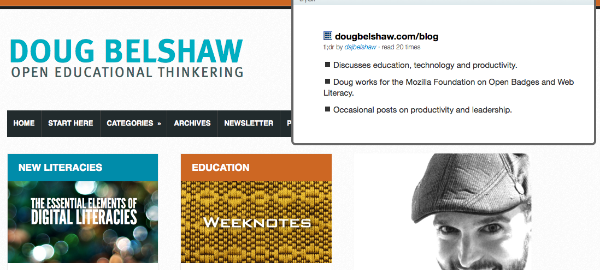
TL;DR: A new service called tldr.io provides extensions for Firefox and Chrome that allow you to summarise content on the Web. These summaries are then available to other users who have the extensions. This adds value for both the person doing the summarising (comprehension) and the person accessing the summary (speed)/
You’ll have noticed that I’ve been using TL;DR at the top of my posts (like this one) for a while now. It’s something that stands for too long; didn’t read and is a nod to the fact that people don’t tend to read long-form content on computer screens. A few weeks ago I happened across a new service called tldr.io. I think it’s awesome.
The best services solve two problems at the same time. So, for example, Luis von Ahn created reCAPTCHA (prove you’re human / digitise books) and Duolingo (translate articles / learn another language). Tldr.io does something similar. One of the best ways of learning something is to summarise it for someone else. And if you’re in a hurry, having a summarised version of something is extremely valuable.
Once you install the Mozilla Firefox or Google Chrome browser extension you’ll see either a red or green button in your address bar:

If it’s red it means that there’s no summary of this page. If it’s green it means that a summary exists. Clicking on the green button reveals that summary. If it’s red then that means you’ve got an opportunity to contribute one and add value! Nice.
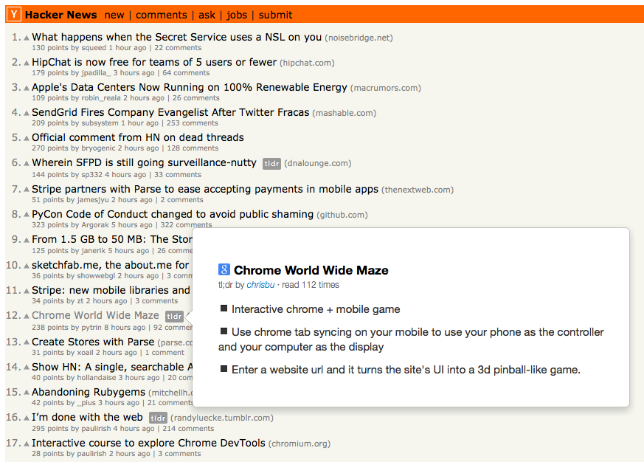
The service has an API meaning it can be hooked into websites. Once you’ve installed the extension check out the way, for example, that the tl;dr grey icons appear next to articles on Hacker News – and what happens when you hover over them:
I like services that fulfil a need and have an obvious value proposition both for the creator and consumer! And this seems like something that could align nicely with the Web Literacy standard work we at Mozilla have been undertaking with the community.
If you were still in any doubt, head over to the latest summaries over at tldr.io and then, once you’ve contributed a summary, check out your impact. Wonderful.
Paper hat goes to the first one to summarise this blog post. Although that would be quite meta. 😉

 Serendipity’s a wonderful thing. It happens to me more often in this interconnected, Web 2.0 world. This morning, for example, whilst searching for something else entirely, I again stumbled across the


